Takoradi, Western Region, Ghana

For clients

Your schedule,
in your pocket.

See every week you have paid, what is due next, and how much of the vehicle is already yours — without calling the office.
Setting up

Point the app at us

Two steps. The app asks for these once, on first run — after that it just opens.

1

Get the app

Android · free download

Download for Android Version 1.2.1

After installing, enter the server address and registration code from step 2 to connect to this dealership.

When installing you may be asked to allow “Install from unknown sources” — this is normal outside the Play Store.

iPhone version coming soon.

2

Connect to Enyidado Hub

Type these details into the app.

Server address

https://www.enyidado.henapp.org

Registration code

HENAPP-ENY-SQ2DNF

A look inside

Every screen, before you install

Real screens from the app as it ships — nothing here is a mock-up.

The marketplace

Browse the whole catalogue without an account.
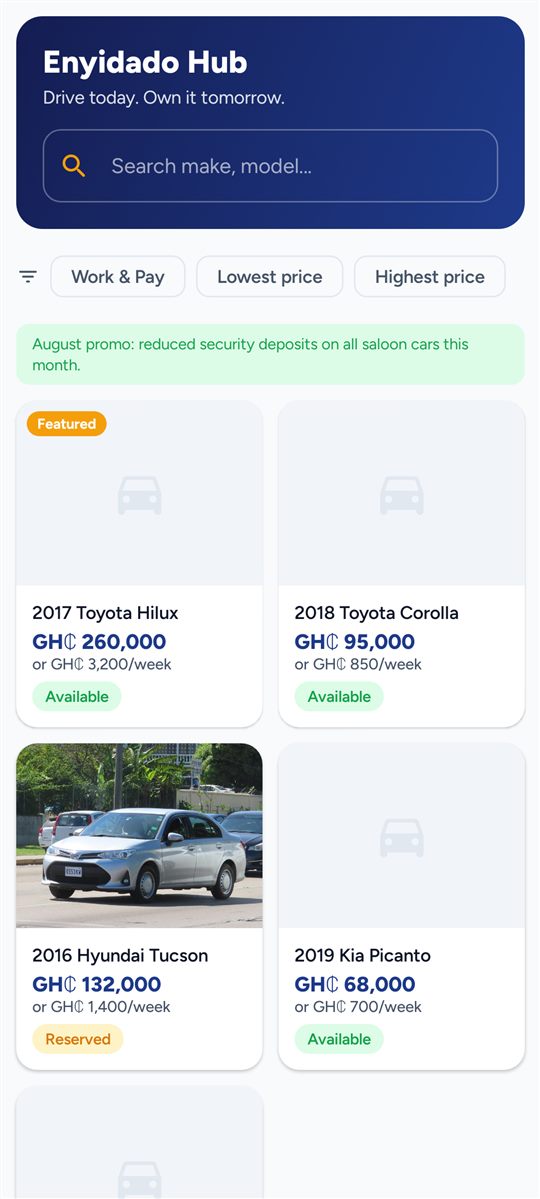
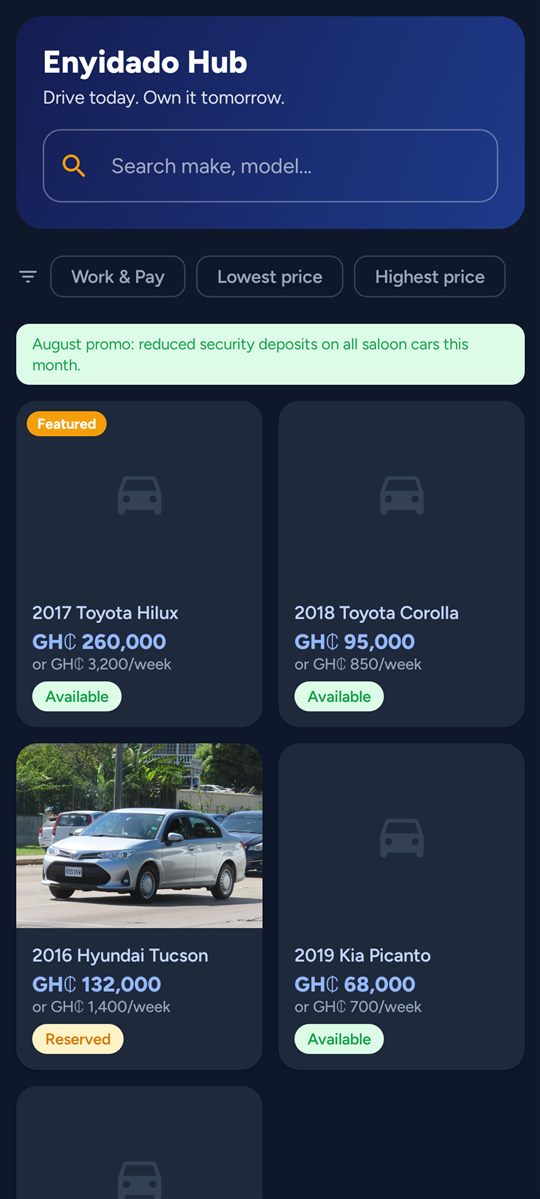
Market — Search, filters, promos and the live catalogue
Market Search, filters, promos and the live catalogue
Market · dark — The same screen in dark mode
Market · dark The same screen in dark mode
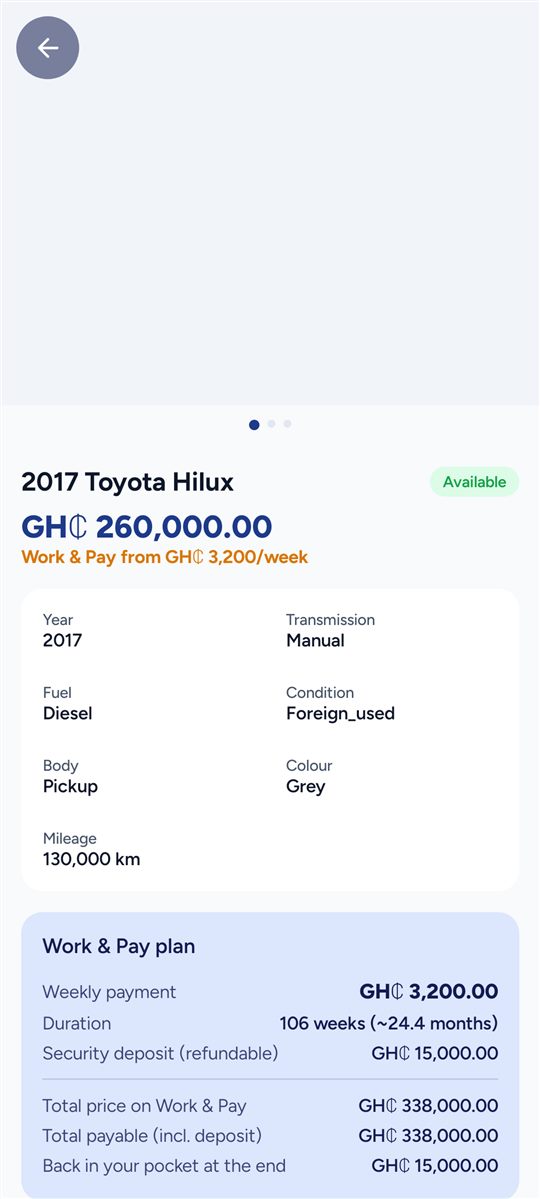
Vehicle detail — Gallery, specs and the Work & Pay quote
Vehicle detail Gallery, specs and the Work & Pay quote
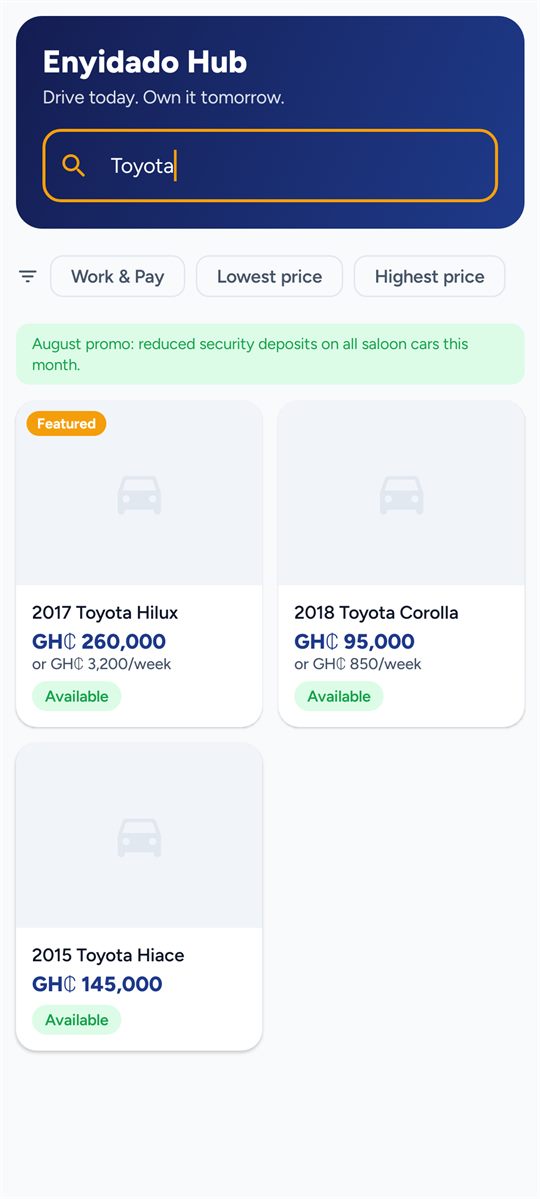
Search — Type a make or model and the list narrows as you go
Search Type a make or model and the list narrows as you go

Your deal

Sign in once and your contract travels with you.
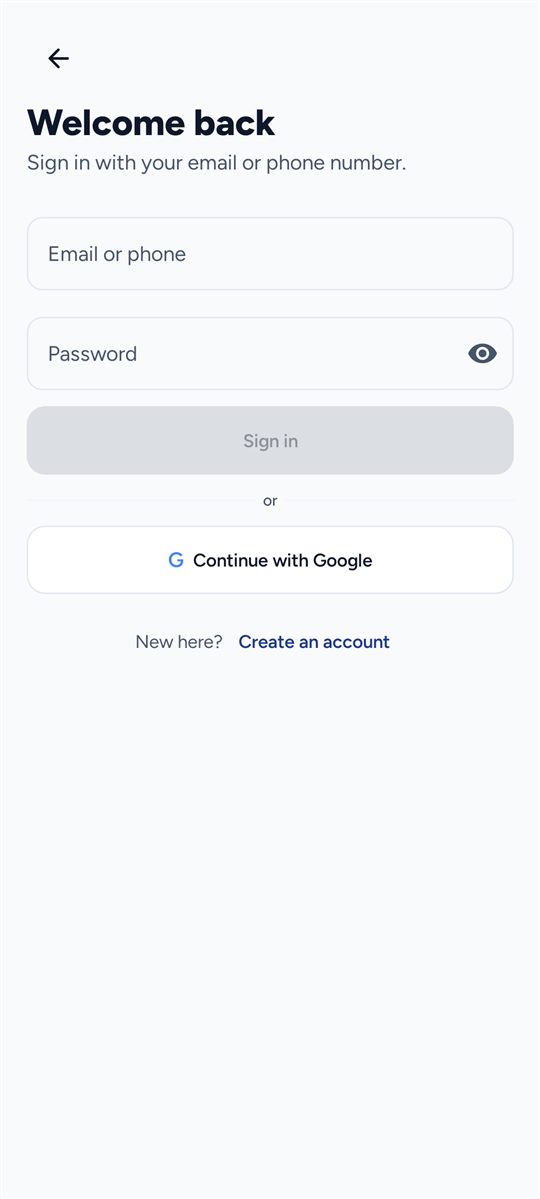
Sign in — Email or Ghanaian phone number
Sign in Email or Ghanaian phone number
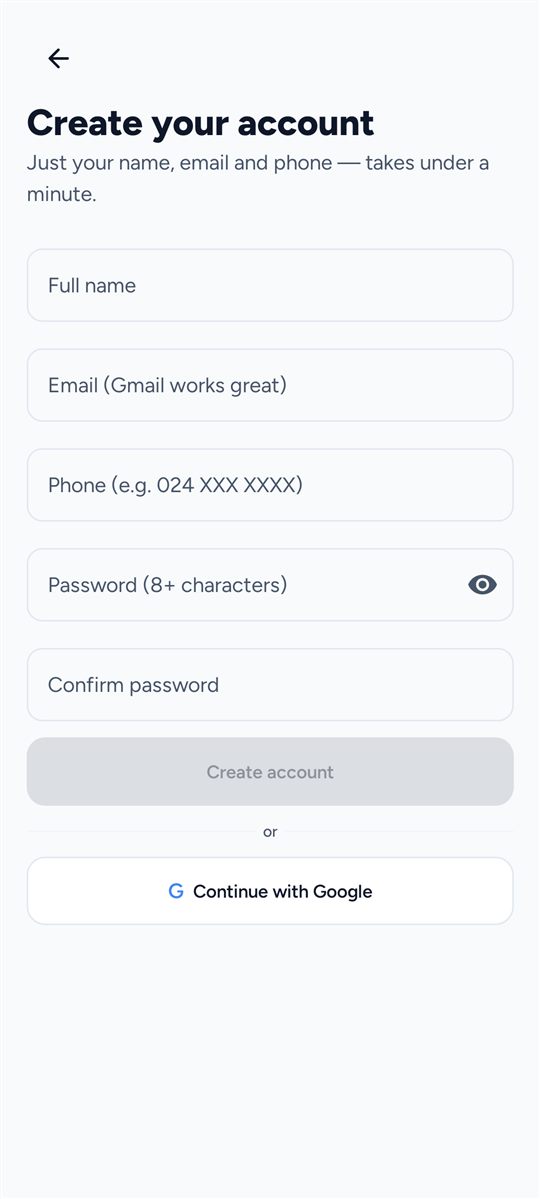
Register — Under a minute to open an account
Register Under a minute to open an account
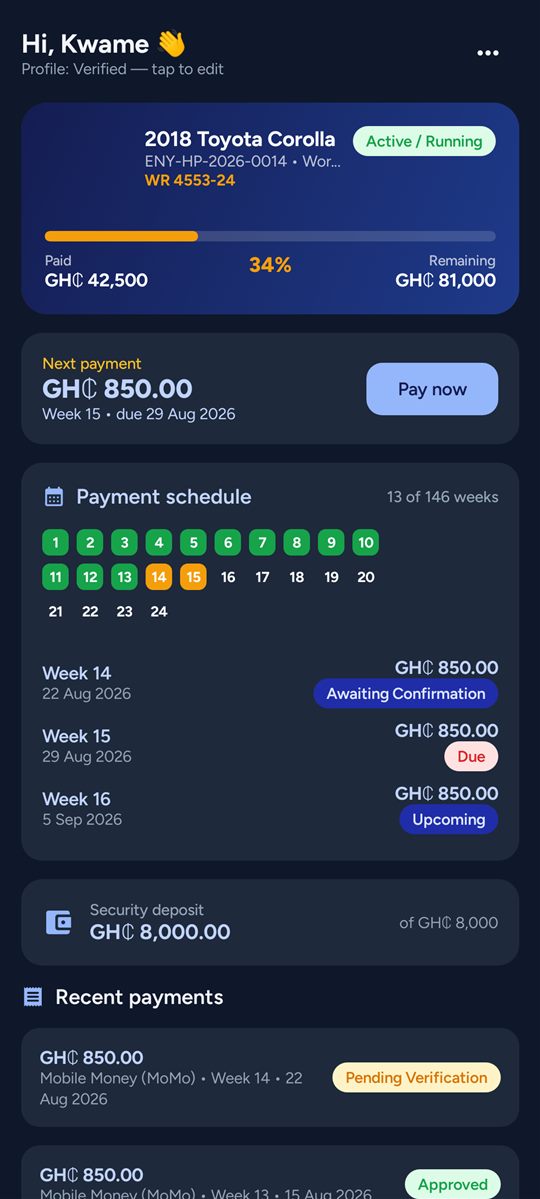
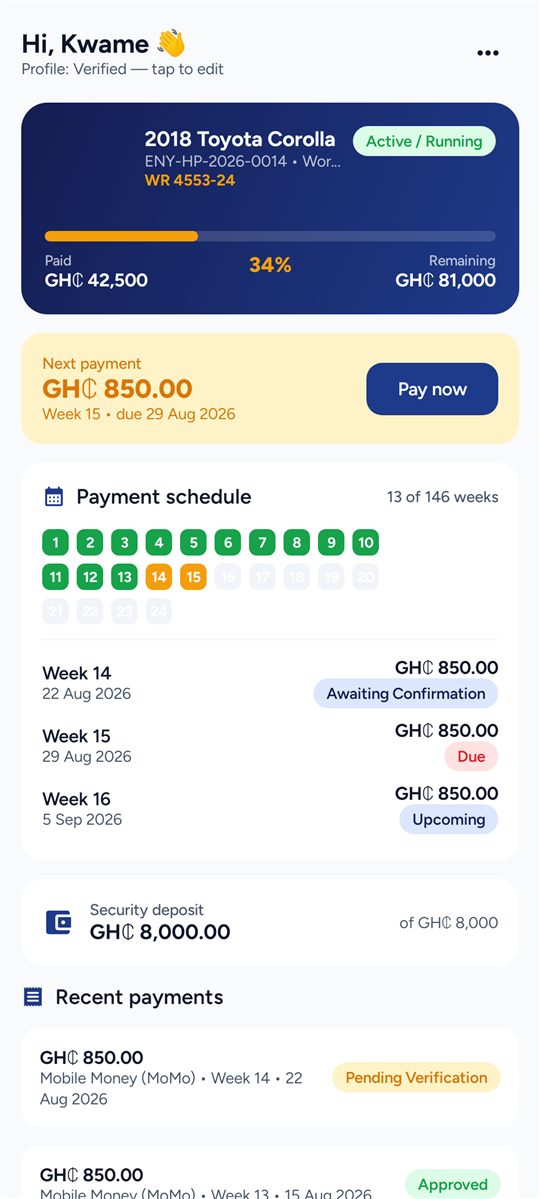
My Deal — Progress, next payment and the week-by-week schedule
My Deal Progress, next payment and the week-by-week schedule
My Deal · dark — The same screen in dark mode
My Deal · dark The same screen in dark mode
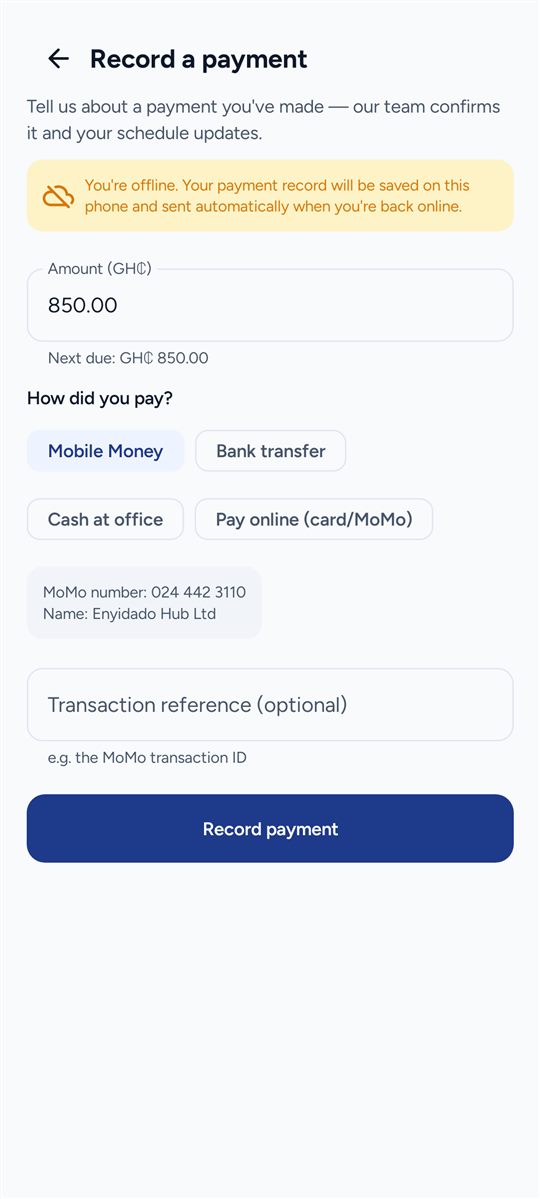
Record a payment — MoMo, bank, cash or Paystack — works offline
Record a payment MoMo, bank, cash or Paystack — works offline
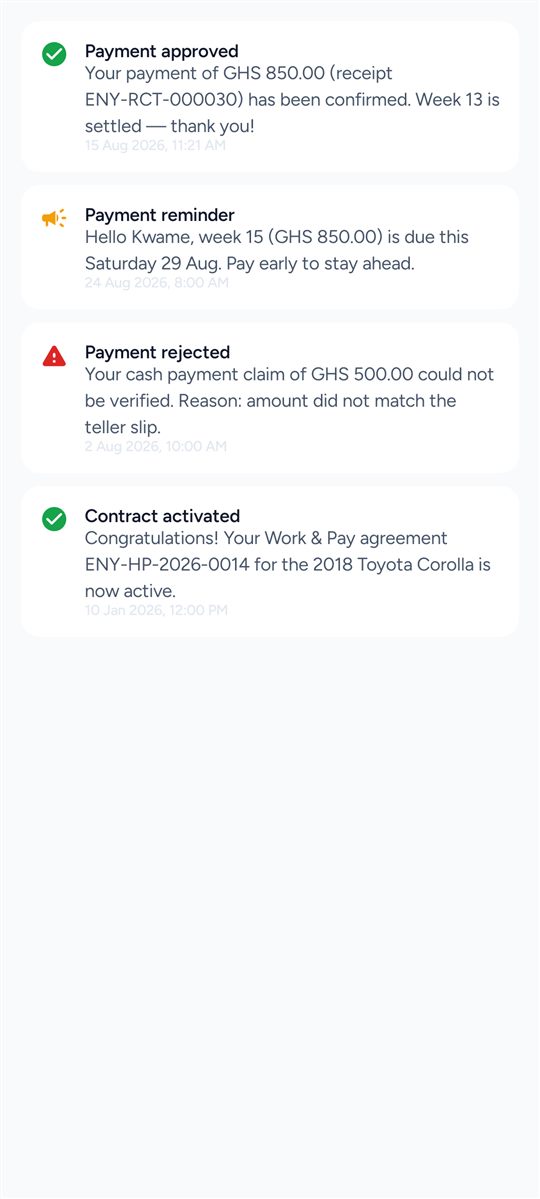
Alerts — Reminders, receipts and contract updates
Alerts Reminders, receipts and contract updates
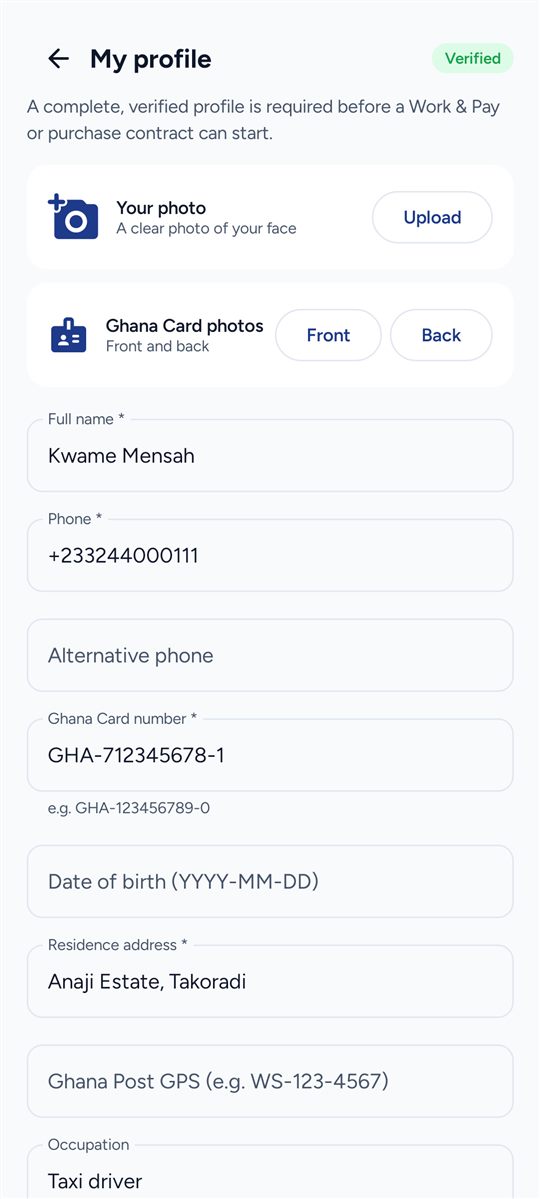
Profile & KYC — Ghana Card details and photos from your phone
Profile & KYC Ghana Card details and photos from your phone
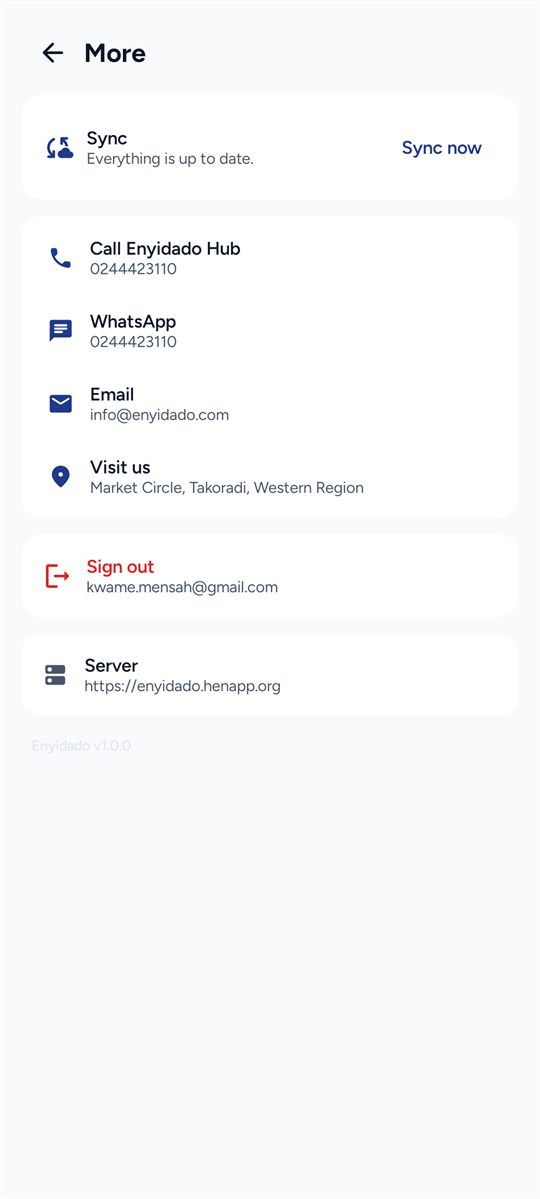
More — Sync status, queued items, contacts and settings
More Sync status, queued items, contacts and settings

For our team

Staff sign in to the same app and run the business from it.
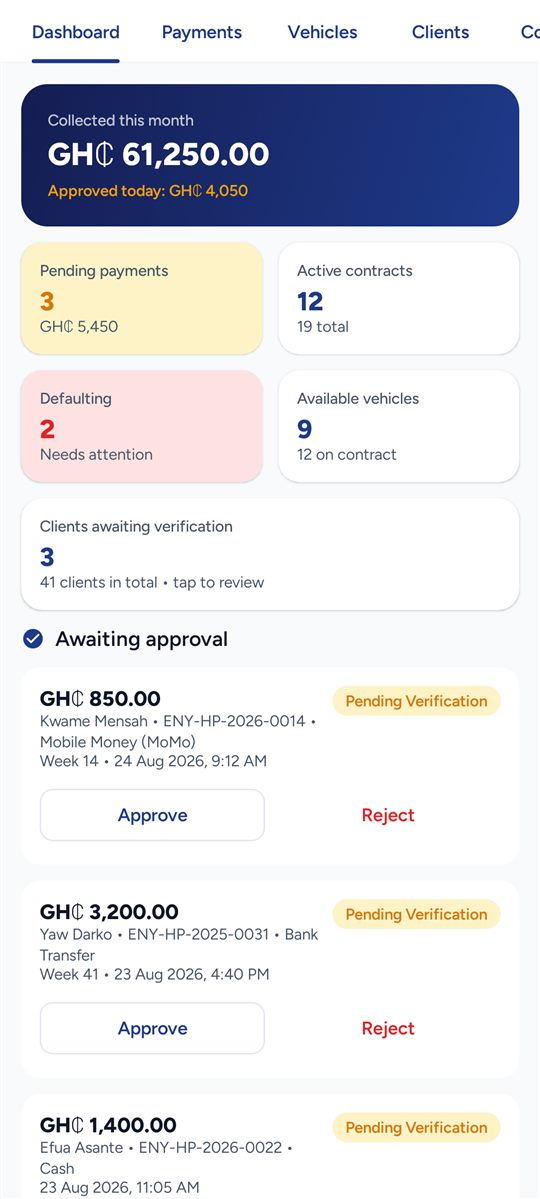
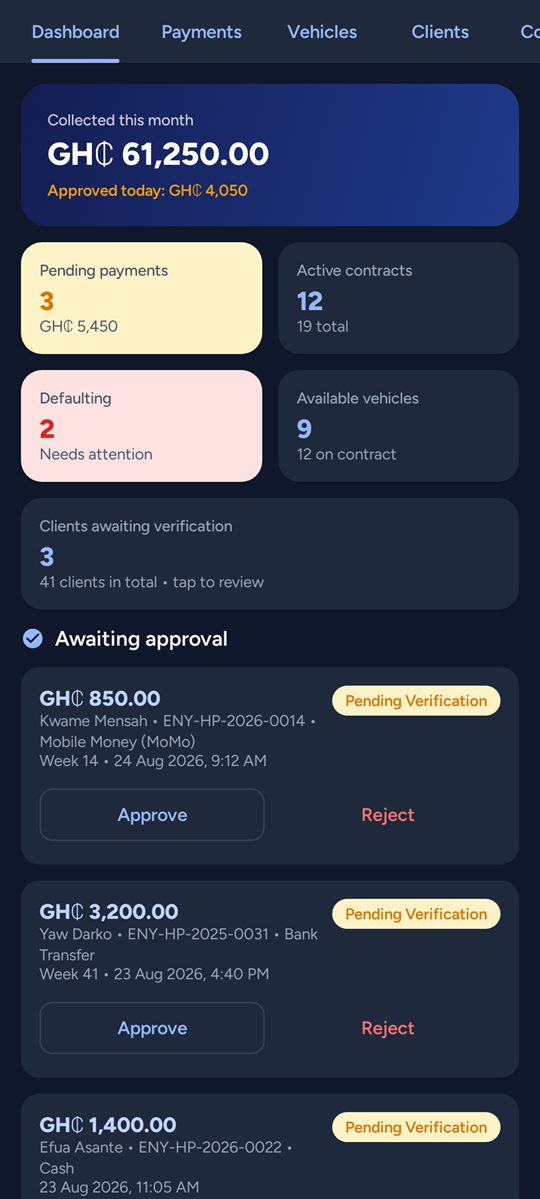
Dashboard — Collections, pending queue, defaulting contracts
Dashboard Collections, pending queue, defaulting contracts
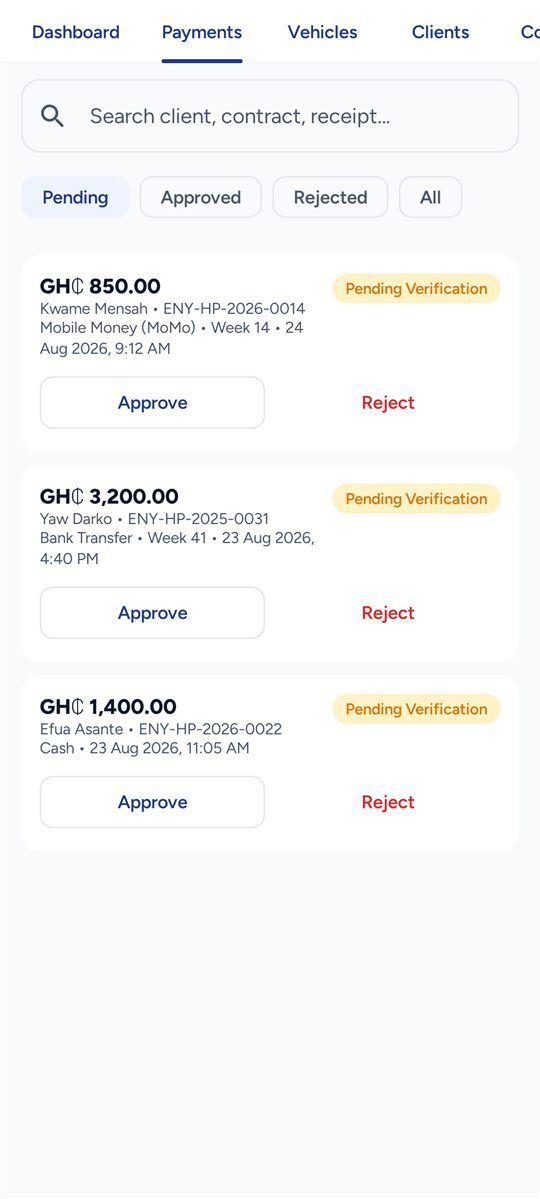
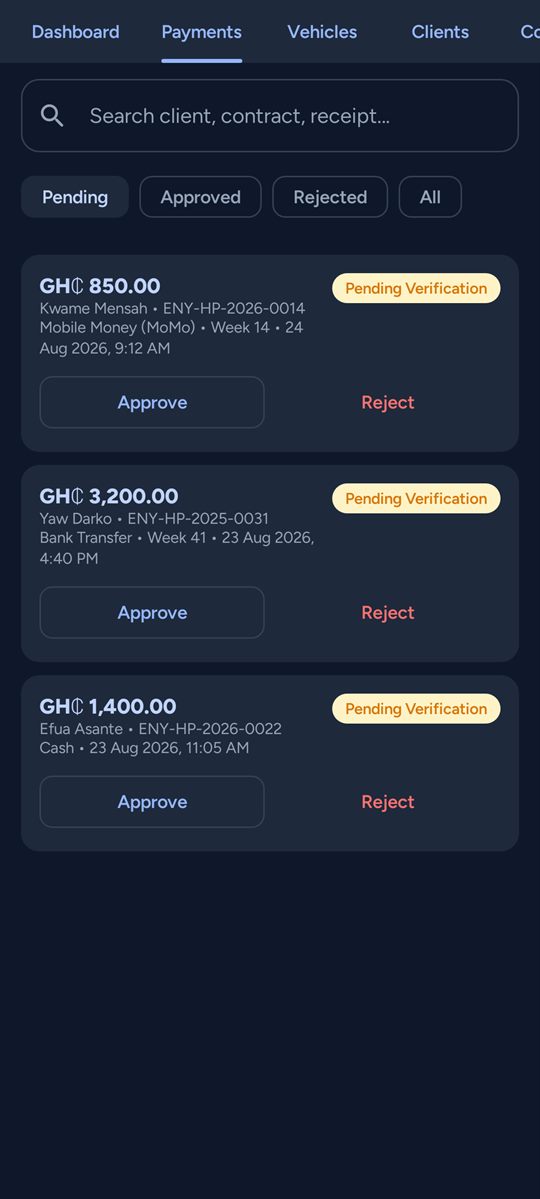
Payments queue — Approve or reject claims — even offline
Payments queue Approve or reject claims — even offline
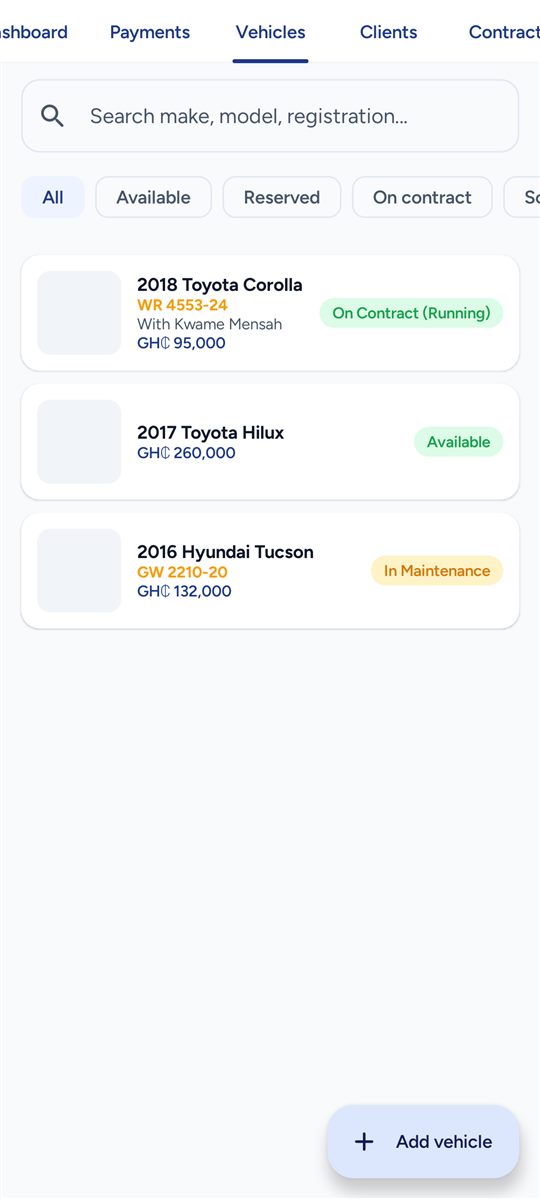
Vehicles — Create, edit, photograph, set status
Vehicles Create, edit, photograph, set status
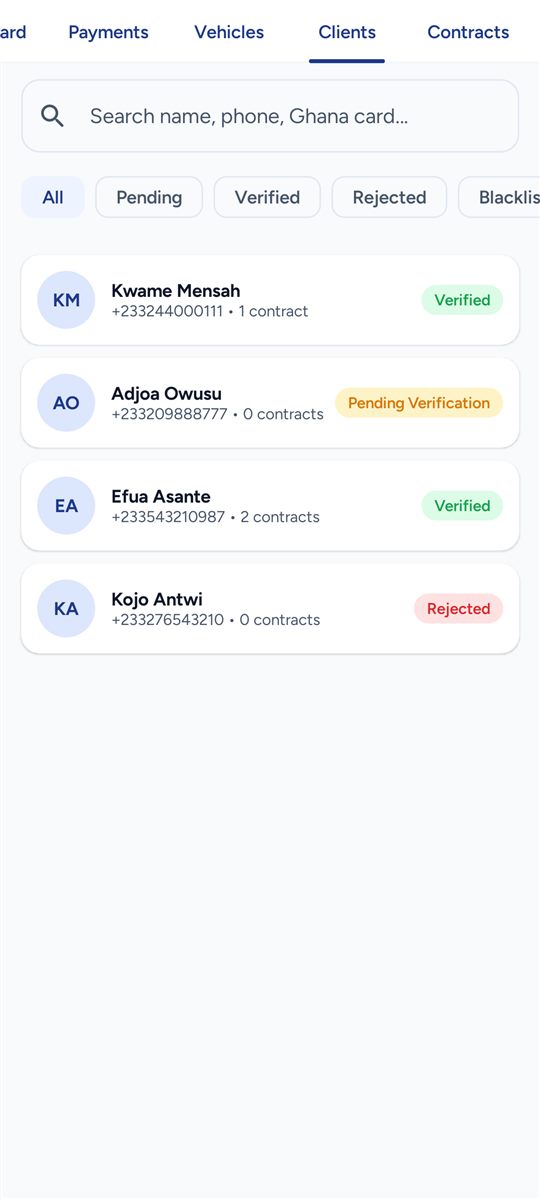
Clients — KYC review: verify, reject, blacklist
Clients KYC review: verify, reject, blacklist
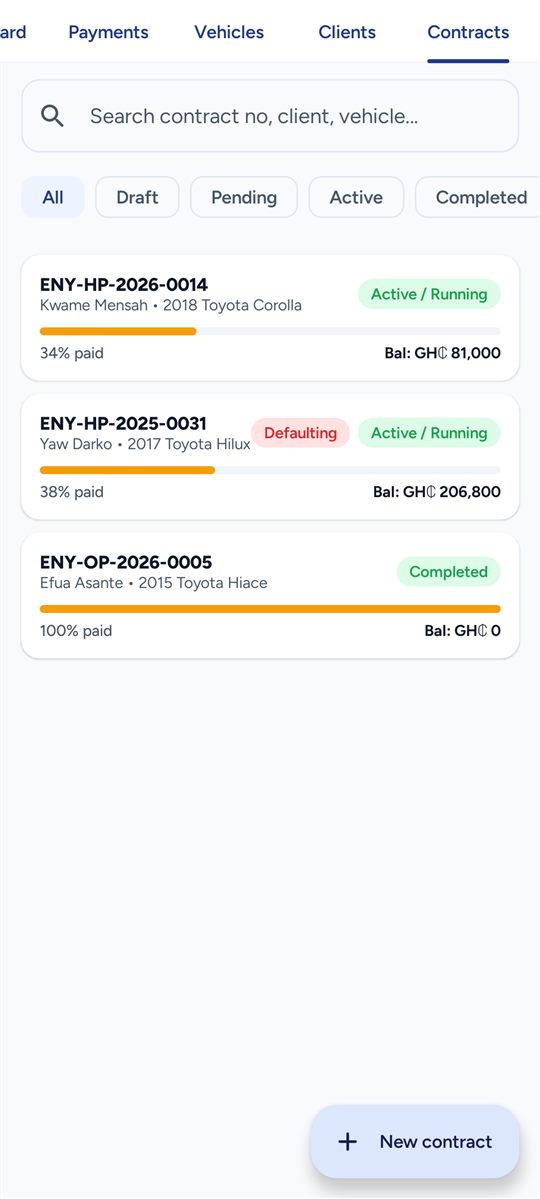
Contracts — Wizard, activation, payments, lifecycle actions
Contracts Wizard, activation, payments, lifecycle actions
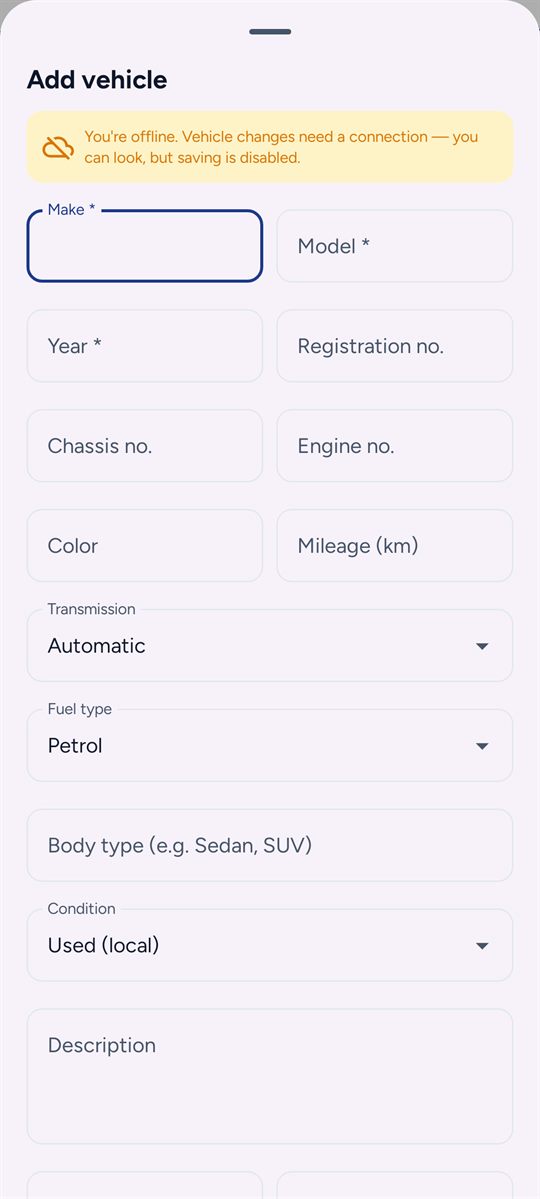
Add a vehicle — Full spec, photos and status — queued if the signal drops
Add a vehicle Full spec, photos and status — queued if the signal drops
Dashboard · dark — The same screen in dark mode
Dashboard · dark The same screen in dark mode
Payments · dark — The same screen in dark mode
Payments · dark The same screen in dark mode

What you can do

Everything the office can see, you can see

01

Your payment schedule

Every week of your contract, what is paid and what is still due.

02

Record a payment

Tell us the moment you pay. The office approves it and your schedule updates.

03

Your deposit

Watch your refundable deposit, and see anything deducted against a missed week.

04

Reminders

A nudge before a week falls due, so a payment is never missed by accident.